TL;DR
- Yes, you can put an AirTag on a dog, but it is a backup layer, not GPS.
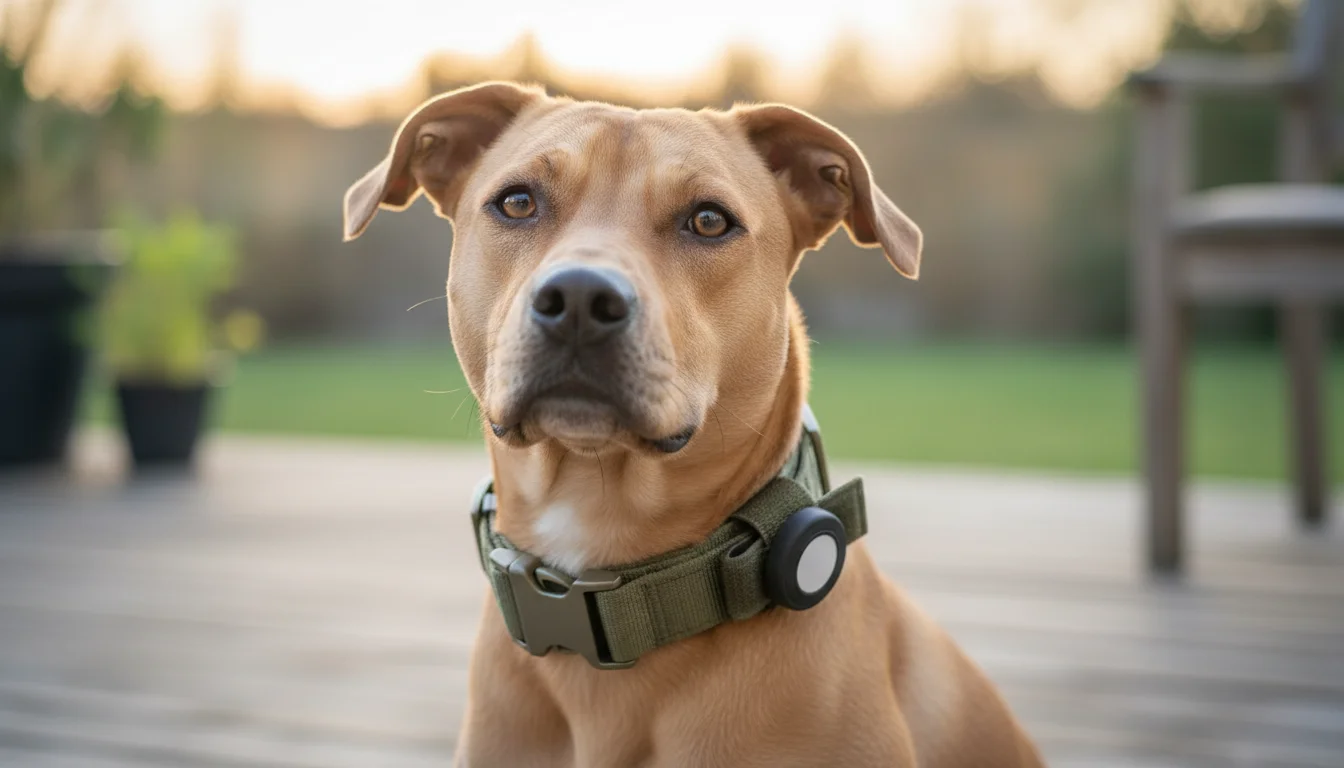
- If you are asking "can you put an AirTag on a dog?", the practical answer is yes - as long as you secure it in a dog-specific holder and treat it like a backup, not a primary tracker.
- AirTags use Bluetooth and Apple's Find My network. They only update when an Apple device is nearby.
- In neighborhoods and cities, that can work well. In rural or low-traffic areas, it may not.
- The real risk is not the Bluetooth signal. It is the AirTag falling off, being chewed, or sitting in a flimsy holder.
- If you use one, pair it with a secure, dog-specific holder and keep your dog's microchip and ID tags in place too.
Can you put an AirTag on a dog? Yes, but only as a backup layer.
Yes - you can put an AirTag on a dog.
If you want the practical answer in plain English: yes, but only as a backup layer. It should live in a secure, dog-specific holder, not a loose clip or sleeve, and it should never be treated like live GPS.
The better question is whether it is a good idea for your dog, where you live, and how you secure it. For many iPhone owners in suburbs or cities, an AirTag can be a useful backup. It is not a live GPS tracker, and it should never be treated like one.
If you want the safety version of this answer, read is AirTag safe for dogs. If you want the hardware version, see best AirTag collar for dogs.
How AirTags actually work on dogs
An AirTag does not have GPS or cellular service.
It works by broadcasting a Bluetooth signal. Nearby Apple devices pick up that signal and relay the AirTag's location through Apple's Find My network. That means your dog's location appears in the Find My app only when another Apple device is close enough to detect it.
That system creates two important realities:
- AirTags can be useful in populated areas where iPhones are everywhere.
- AirTags can go quiet in rural areas, fields, forests, or low-traffic neighborhoods.
For a lost dog, that difference matters. A location update is only helpful if it arrives fast enough and often enough to guide your search.
Why Apple's design intent matters
Apple built AirTag for personal items like keys, luggage, and bags. It was not designed as a pet tracker.
That matters because some of AirTag's built-in safety behavior was created for people, not dogs. Apple's anti-stalking alerts, sound features, and item-tracking logic make sense for a backpack or suitcase. They are not the same thing as a purpose-built dog tracker.
So when someone asks why Apple does not recommend AirTags for pets, the honest answer is simple: AirTag was not designed to be a primary pet tracking system.
That does not make it useless. It just means you need to understand the limits before you rely on it.
When an AirTag works well for a dog
An AirTag can be a sensible choice if:
- You use an iPhone and already live inside Apple's ecosystem.
- Your dog lives in a suburban or urban area with plenty of nearby Apple devices.
- You want a no-monthly-fee backup layer.
- Your dog is a normal neighborhood escape risk, not a chronic long-distance runner.
- You are willing to use a secure holder instead of a loose clip or flimsy sleeve.
In those situations, AirTag can give you a practical, low-friction way to add a second layer of protection.
When an AirTag is not enough
An AirTag is usually the wrong tool if:
- Your dog lives in a rural area with sparse iPhone traffic.
- You hike, hunt, camp, or travel in remote areas.
- You need location updates every few seconds.
- Your dog is a serious escape artist and you need real-time pursuit.
- You want a true GPS experience.
If that sounds like your situation, compare GPS vs AirTag collar before you choose.
How to set up an AirTag on a dog safely
The AirTag itself is only part of the setup. The holder matters just as much.
1. Use a holder designed for dogs
Do not rely on a keychain clip, a loose loop, or a sleeve that can stretch out over time. A proper dog collar setup should keep the AirTag seated securely and flush against the collar.
2. Check the fit before the collar ever leaves the house
Shake the collar. Tug on the holder. If the AirTag rattles, shifts, or feels loose, fix it before your dog wears it outside.
3. Keep chewing risk in mind
Dogs chew, scratch, roll, and rub against furniture. A weak holder can fail under normal wear. If the AirTag pops out, the tracker is gone and the coin battery becomes a real problem.
4. Check for moisture and skin irritation
Any collar can rub if it traps water or fits too tightly. Check under the holder regularly and keep the area dry after swims or baths.
5. Test the setup in the real world
Walk a few houses away and see how the Find My app behaves. Test it before you need it in an actual escape.
If you want a purpose-built option, the Doggo Guard AirTag Collar uses an integrated holder designed to stay secure during everyday wear.
What an AirTag cannot do
A good backup plan is honest about its limits.
An AirTag will not:
- prevent your dog from escaping,
- give you live GPS tracking,
- work reliably in areas without nearby Apple devices,
- replace a microchip,
- or stay useful if it falls off the collar.
That last point is the one too many guides gloss over. If the holder is weak, the AirTag is not a tracking solution. It is just a small object that can get lost with your dog.
The layered safety plan is still the right plan
The safest approach is not AirTag versus everything else.
It is layering the tools that solve different parts of the problem:
- Microchip for permanent identification.
- ID tag for immediate contact information.
- AirTag or GPS for location help during a search.
- Prevention through secure yards, leash habits, and recall training.
No single layer is perfect. Together, they make panic less likely and recovery faster.
Frequently Asked Questions
Can you put an AirTag on a dog?
Yes. You can put an AirTag on a dog if you use a secure holder and treat it as a backup layer, not a primary tracker.
Is it safe to put an AirTag on my dog?
It can be, if the AirTag is secured in a proper holder and checked regularly. The biggest safety risk is not the Bluetooth signal. It is the AirTag falling off, being chewed, or exposing the coin battery.
How far will an AirTag track a dog?
There is no fixed dog range number. AirTag depends on nearby Apple devices, so range is really a question of network density. In a city or suburb, updates may come often. In rural areas, they may be rare or nonexistent.
Why does Apple not recommend AirTags for pets?
Because AirTag was built for items, not animals. Apple designed it for keys, bags, and luggage, with safety features focused on human item tracking. That does not make AirTag bad for dogs, but it does mean it was not made as a primary pet tracker.
Should I use a secure holder or a dangling sleeve?
Use a secure holder. A dangling sleeve can catch, swing, or loosen over time. A flush, dog-specific holder is the better choice for everyday wear.
Can I use an AirTag instead of a GPS collar?
Sometimes, but only if your use case is light and your area is Apple-device dense. If you need real-time tracking in rural areas or during active outdoor adventures, GPS is the better tool.
Bottom line
Yes, you can put an AirTag on a dog. The real question is whether you are using it the right way.
If you want a simple, no-subscription backup layer for a suburban or urban dog, AirTag can make sense. If you need live tracking, rural coverage, or true pursuit-level visibility, GPS is still the stronger option.
If you do use AirTag, make it part of a real safety stack. Secure it properly, test it, keep the microchip active, and do not wait until the gate is already open.
If you want a collar built around a secure AirTag fit, see the Doggo Guard AirTag Collar.
Editorial Notes
How this guide was prepared
This article was prepared to help owners take the next practical step quickly. We combine shelter and veterinary guidance, tracking documentation, and recovery planning so the advice stays useful in a real-world situation.
Written by
Find My Doggo Team
Reviewed by
Find My Doggo Safety Team
Editorial review team
Updated
2026-06-03